Notes
The Notes tab is a versatile feature designed to help traders organize their thoughts, observations, and analyses efficiently within the ChartGPT add-on. Here's an overview of its key functionalities:
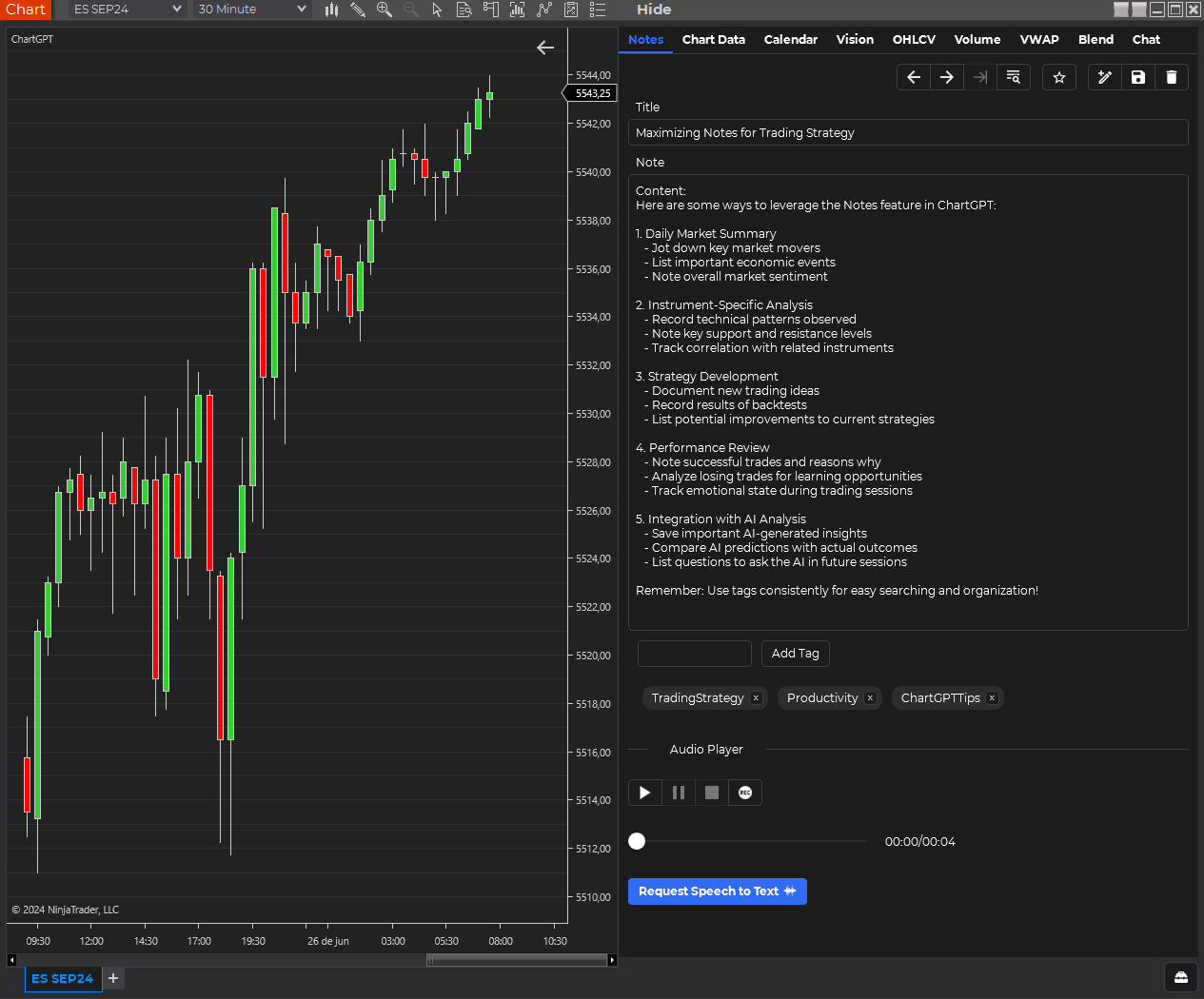
Key Features
Note Creation and Management
- Title, Content, and Tags: Each note can have a title, detailed content, and tags for easy categorization.
- Create, Save, and Delete: Users can create new notes, save existing ones, and delete notes that are no longer needed.
Input Methods
- Text Input: Traditional keyboard entry for note-taking.
- Speech-to-Text: An option to record audio notes that are automatically transcribed into text.
Organization and Navigation
- Favorites: Mark important notes as favorites for quick access.
- Navigation: Easily move through notes, including a quick option to access the most recent note.
Search Functionality
- Criteria: Search notes by date created, instrument name, time frame, or tags.
- Quick Load: Double-click search results to load notes instantly.
Integration with Charts
- Side-by-Side View: Notes can be displayed next to charts for easy reference during analysis.
Usage Tips
- Combining Input Methods: You can use both text and audio input for a single note, providing flexibility in how you capture information.
- Overwrite Warning: Be aware that using the speech-to-text feature will overwrite any existing text in the note.
- Regular Tagging: Consistently tagging your notes can significantly improve searchability and organization.
- Favorites for Key Insights: Use the favorites feature to highlight notes containing crucial market insights or strategies.
Future Enhancements
While full-text search is not currently available, it is being considered as a potential future feature to further improve note searchability.
The Notes tab is designed to be a straightforward yet powerful tool for keeping your trading thoughts and analyses organized and easily accessible within the ChartGPT environment.