Chat Tab
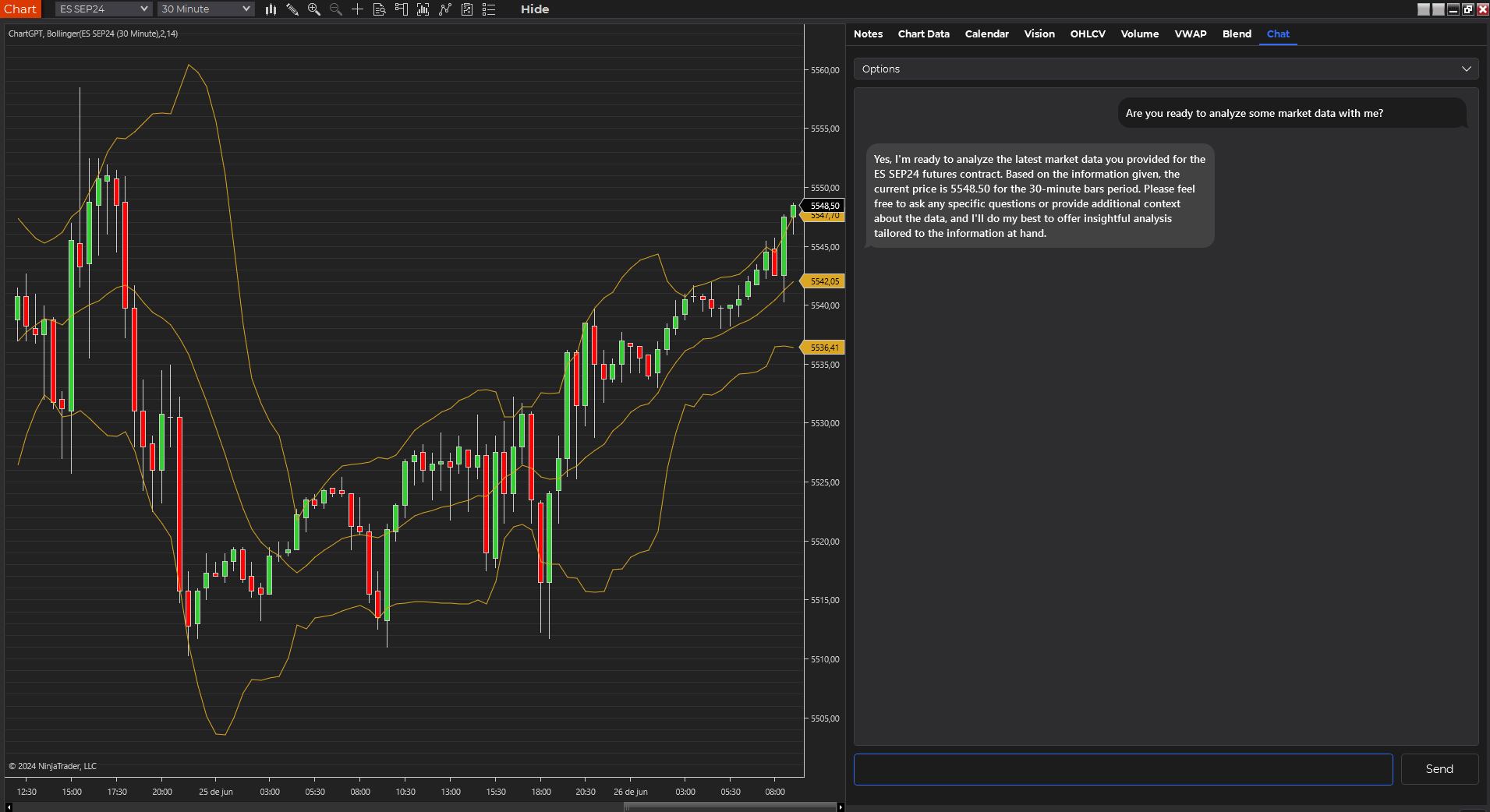
The Chat tab offers a dynamic, real-time interaction with AI models, enhanced with live market data integration. This powerful feature allows for ongoing conversations about market conditions, technical analysis, and trading strategies, all while keeping relevant financial data at your fingertips.
Key Features
Real-Time Interaction
- Engage in dynamic, flowing conversations with AI models
- Receive streamed responses for a more natural chat experience
Comprehensive Data Integration
- Incorporate live market data into your conversations
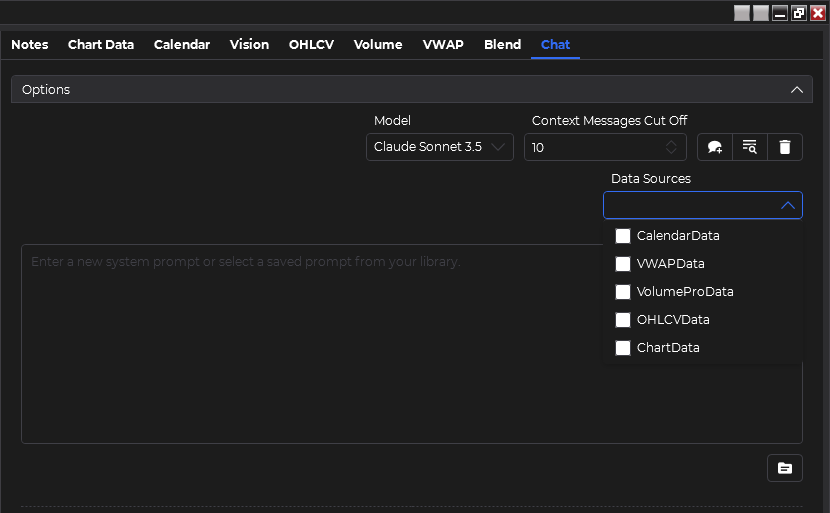
- Access and discuss data from multiple sources:
- Chart Data (including custom indicators)
- OHLCV Data
- Volume Profile
- VWAP
- Economic Calendar
Chat History
- Maintain context with chat history (default: last 10 messages)
- Seamlessly continue conversations over extended periods
Flexible Data Selection
- Choose which data sources to include in each conversation
- Dynamically update data sources as your analysis needs change
Using the Chat Tab
Select Data Sources
Choose which data sources you want to include in your conversation. Unlike the Blend tab, you can include Chart Data here.
Start the Conversation
Begin chatting with the AI about your selected data, market conditions, or trading strategies.
Interact Dynamically
As the conversation progresses, feel free to ask follow-up questions or request additional analysis.
Review AI Responses
Read the AI's streamed responses, which will incorporate the selected data sources into the analysis.
(Optional) Update Data Sources
Change or add data sources mid-conversation to explore new angles or incorporate fresh data.
(Optional) Convert to Speech
Use the text-to-speech feature to listen to AI responses for a hands-free experience.
The Chat tab provides a more interactive and fluid experience compared to other tabs. It's ideal for exploratory analysis and brainstorming trading ideas.
Best Practices
- Start Broad, Then Narrow: Begin with general questions about market conditions, then drill down into specific aspects or timeframes.
- Leverage Real-Time Data: Ask about current market conditions and how they relate to historical patterns.
- Cross-Reference Data Sources: Encourage the AI to draw connections between different data types, such as how current price action (from Chart Data) relates to the Volume Profile.
- Explore Hypotheticals: Use the chat to explore "what-if" scenarios based on potential market movements or upcoming economic events.
- Maintain Context: Refer back to earlier points in the conversation to build a comprehensive analysis.
Try prompts that combine multiple data sources in a conversational manner. For example: "Given the current chart pattern and today's economic calendar, how might the VWAP levels be affected in the next trading session? And how does this align with recent volume profile structures?"
Advantages of Chat-Based Analysis
- Fluid Exploration: Easily pivot your analysis based on AI responses and new insights.
- Contextual Understanding: The AI retains context from earlier in the conversation, allowing for more nuanced and relevant responses.
- Real-Time Adaptation: Quickly incorporate changing market conditions into your analysis.
- Educational Tool: Use the chat to deepen your understanding of complex market concepts and relationships.
- Strategy Refinement: Discuss and refine trading strategies in real-time, with immediate feedback based on current market data.
By effectively utilizing the Chat tab, you can engage in dynamic, data-driven conversations about the markets. This feature exemplifies the power of combining AI language models with real-time financial data, offering a uniquely interactive and insightful trading analysis experience.
Remember that while the AI provides valuable insights, it should be used as a tool to support your analysis, not as a sole decision-maker for your trades. Always combine AI insights with your own research and risk management strategies. For more information on responsible use of AI in trading, please visit our Responsible Use Guidelines.